Service Management
The platform's ticket hub: opening, handling, SLA and history in one place, integrated with monitoring, inventory and the Automation module from the same tenant, alerts open tickets on their own and automations take care of the handling routine (distribution, routing, closing).
Go to Service Management → My Tickets (or All Tickets, depending on your profile).
Who uses it
- Requester: opens tickets and follows the ones they opened.
- Agent (technician): works the queue, takes, resolves and documents.
- Coordinator and manager: track queue, SLA and reports.
- Tenant admin: configures catalog, SLA, queues, team and labels in the Admin area.
The ticket list
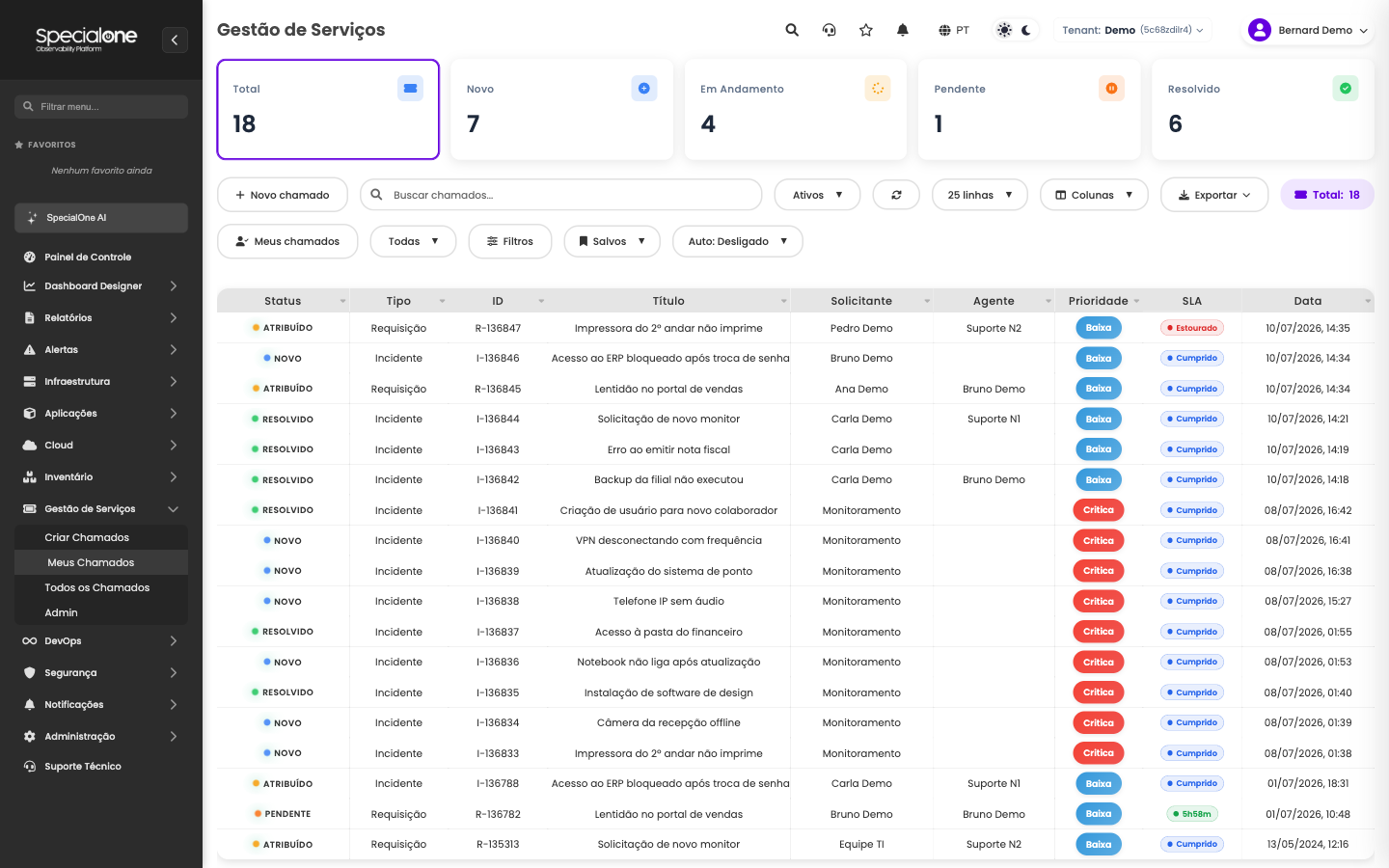
The top cards show the queue by status (Total, New, In Progress, Pending, Resolved) and filter the list on click. Each row shows status, type (incident or request), ID, title, requester, agent, priority, SLA state and date. The Active selector switches between open, resolved or all tickets, and Export downloads the filtered list as CSV or Excel.
Tickets opened by monitoring arrive with Monitoring as the requester: they are created automatically from alerts (see Integrations).
Advanced filters
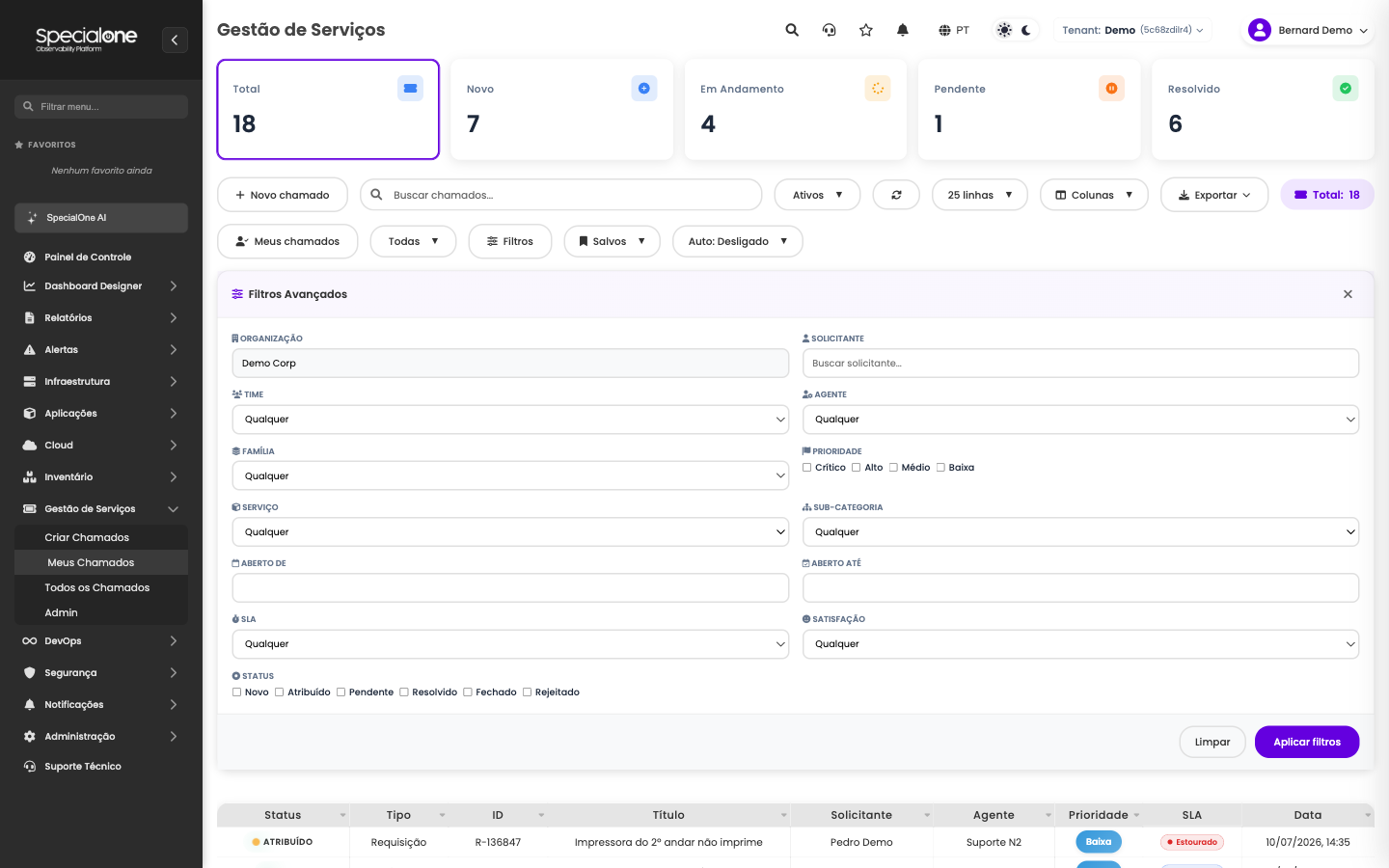
The Filters button opens the full panel: organization, requester, team, agent, catalog family and service, opening period, priority, SLA state, satisfaction and status. A filter can be saved under Saved for reuse, and it becomes part of the URL, so you can bookmark it or share the link with your team.
Opening a ticket
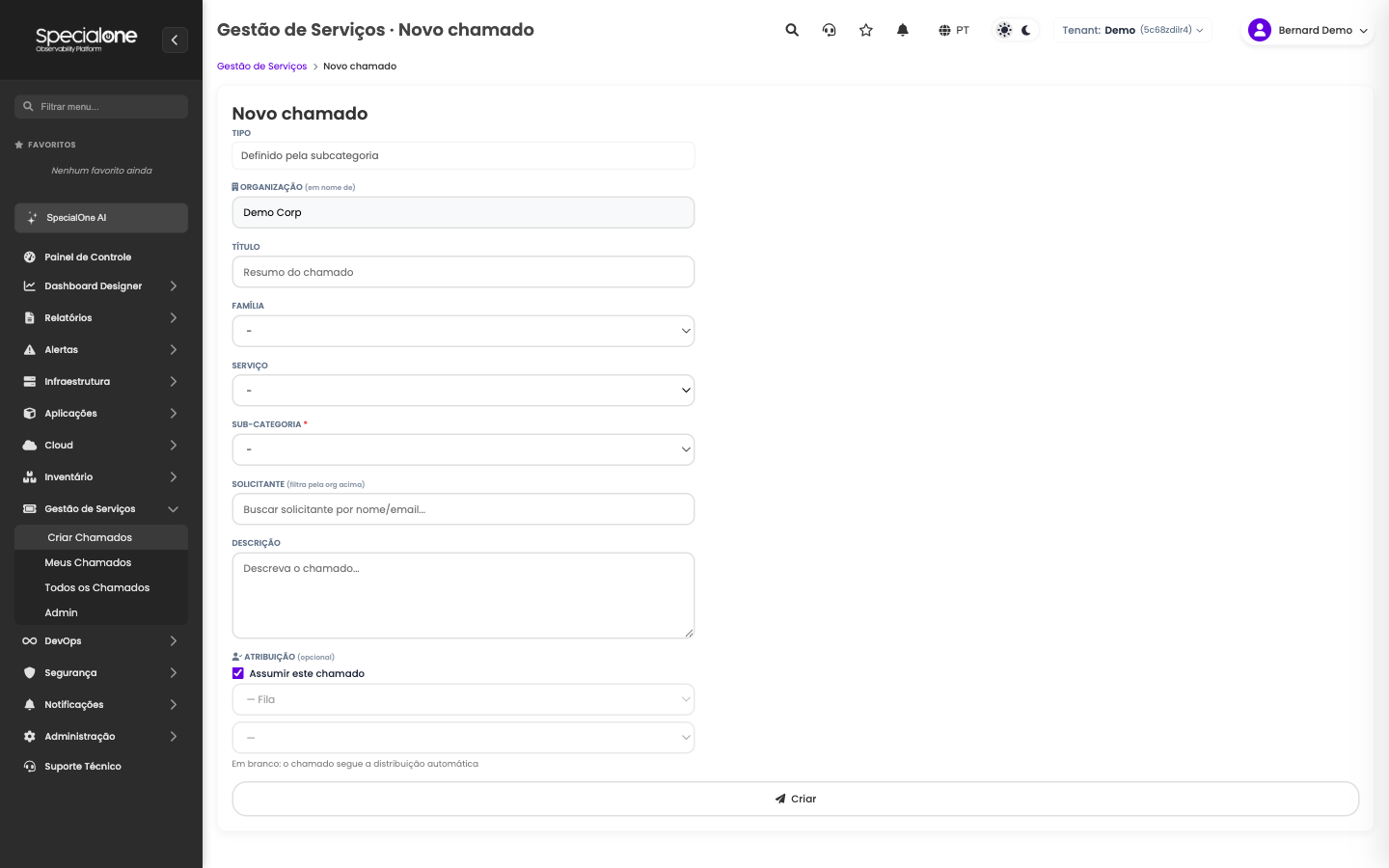
In Create Tickets, the type (incident or request) is defined by the subcategory chosen from the catalog. An agent can open a ticket on behalf of another requester, and assignment is optional: left blank, the ticket follows the automatic queue distribution; with Take this ticket checked, it is born assigned to you.
Next steps
-
Inside the ticket
Tabs, status actions, internal notes and SLA.
-
Integrations
Automatic opening from alerts and impact analysis from inventory.
-
Profiles and permissions
What each team profile can see and do.
-
Service Management automations
The handling routine on autopilot: closing, round-robin, routing and per-ticket runbooks.