DCIM
Dedicated page for physical datacenter infrastructure equipment (DCIM, Data Center Infrastructure Management): UPS units, generators and any appliance critical to keep the environment up.
Collection happens directly from the collector (hub) talking to the equipment over SNMP or ICMP, with no agent. Registration is done right on this page.
The list
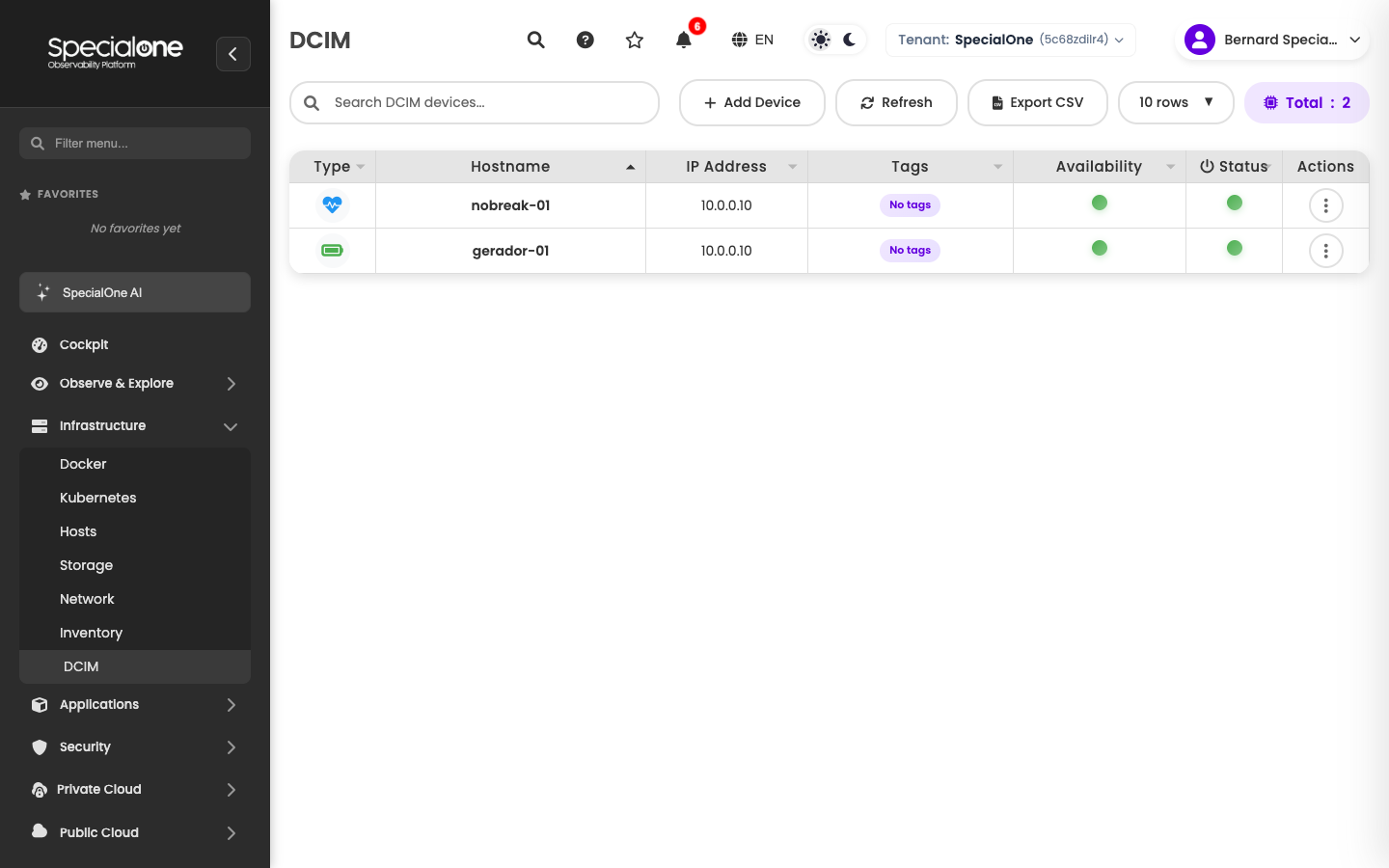
Reached from Infrastructure → DCIM. Shows DCIM equipment registered in the tenant, with columns:
| Column | What it shows |
|---|---|
| Type | Icon for the equipment type (UPS, generator, generic). |
| Hostname | Equipment name on the platform. |
| IP Address | IP the collector uses to reach the equipment. |
| Tags | Free labels. |
| Availability | Indicator of the latest check (ICMP/SNMP). |
| Status | Consolidated state. |
| Actions | Quick operations menu. |
Above the table sit the standard controls (search, refresh, export CSV, pagination) and the Add Device button.
Registering a DCIM device
Similar to Network, registration happens right on the page through a simple form.
Prerequisites
Before registering, make sure:
- The collector (hub) has network reachability to the equipment (can hit the IP via ICMP and UDP 161 for SNMP).
- For UPS and Generator types: SNMP is enabled on the equipment, with a defined community string.
- For the Generic (Ping) type: only ICMP response is needed.
Step by step
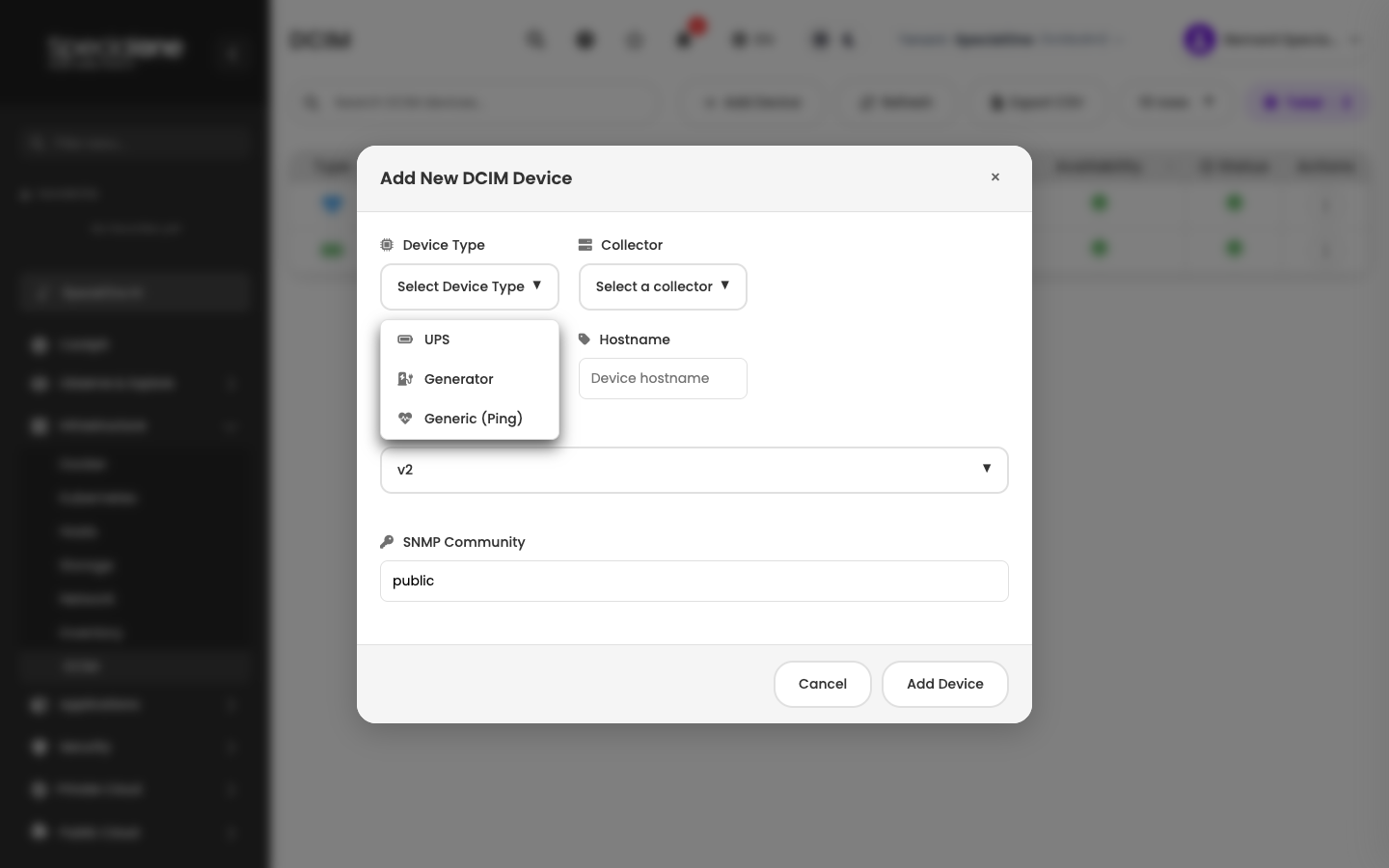
- Under Infrastructure → DCIM, click Add Device.
- Fill the fields:
- Device Type: pick UPS, Generator or Generic (Ping).
- UPS: the platform collects battery load, mains status, remaining runtime and temperature via SNMP.
- Generator: fuel level, hours of operation, status (standby, running), output voltage.
- Generic (Ping): only checks ICMP response. Useful for any DCIM appliance whose detailed monitoring is not supported (or not yet configured), just to know it is alive.
- Collector: which hub will run the collection.
- IP Address: equipment IP.
- Hostname: equipment name on the platform (e.g.
ups-room-01). - SNMP Version:
v2corv3. Ignored for Generic (Ping). - SNMP Community: community string (default
public). Replace with the real value configured on the equipment.
- Device Type: pick UPS, Generator or Generic (Ping).
- Click Add Device.
The equipment shows up on the list. The collector runs the first read attempt within minutes. For UPS and Generator types, metrics start populating once SNMP answers. For Generic (Ping), only the Availability column toggles green/red based on ICMP.
Start with Generic (Ping) and refine later
If you are unsure about SNMP support on the equipment or about the correct community, start by registering it as Generic (Ping). At least you know if it goes unreachable. Later, with the credential in hand, edit the type to UPS or Generator and the richer collection kicks in.
The device detail
Clicking a row takes you to the device page. The tabs follow the same model as other resources: Metrics, Alerts, Configuration.
The Metrics tab carries type-specific data:
- UPS: battery load (%), mains status (normal / on battery), remaining runtime, input and output voltage, internal temperature.
- Generator: fuel level, hours operated (accumulated), status (standby / running / fault), output voltage and frequency, start system status.
- Generic (Ping): ICMP response time, packet loss, availability over time.
Alerts and Configuration tabs
Both follow the same model as other types. Refer to the Hosts page:
- Configuration tab: equipment attributes, applied monitoring profiles, collected metrics and configured alerts.
- Editing an alert on the host: how the custom copy works when you tune a profile-inherited alert.
Typical DCIM alerts
Default profiles cover common situations in the device's Configured Alerts sub-tab:
For UPS
- On battery (mains dropped, equipment switched to battery).
- Battery low (charge below the configured threshold).
- Remaining runtime critical (less than X minutes).
- High internal temperature.
- Battery fault (reported by the device itself).
For Generator
- Fuel below the limit.
- Generator running when it should not be (means an outage is in progress).
- Start failure when commanded to start.
- Hours of operation close to maintenance (preventive alert).
For Generic (Ping)
- Equipment unreachable (no ICMP response).
- Consistently high latency (network degradation up to the equipment).
Like any alert, these are routed by your notification rules. For critical DCIM alerts (UPS on battery, generator start failure), default routing usually uses synchronous channels like mobile push and SMS.
Next steps
-
Other resources
Hosts, Docker, Kubernetes, Network and Storage follow the same configuration and alerts model.
-
How alerts work
From alert definition to notification channel.