Runbooks
A runbook is the script your agents run. It is your library of ready-made tasks: restart a service, clean disk, create a user, reset a session. Each runbook is Python or Ansible, and is available to the agents of your tenant.
Reach it under DevOps → Runbooks.
Who uses it
- SRE and infra: writes and maintains the library of operational scripts.
- Support: uses the ready-made runbooks, on demand or through automation, without having to reach each host by hand.
How parameters reach the script (never as code)
A safety rule of the module: parameters (host, service name, alert data) enter the runbook as variables, never as code. The script is fixed, it came from the catalog; only the data changes. That way, text coming from an alert never becomes an executable command.
- Python: parameters arrive in the
SP1_PARAMSenvironment variable, as JSON. - Ansible: parameters arrive as the playbook's extra-vars.
Which fields you receive
What lands in SP1_PARAMS depends on the automation's trigger:
By alert (Observability) , all of these fields arrive on their own, with nothing to configure:
| Field | Content |
|---|---|
hostname |
host that fired the alert |
alert_name |
alert name |
severity |
severity (critical, high, medium, information) |
status |
problem (firing) or recovery |
alert_id |
identifier of the alert firing |
tags |
alert tags, raw (e.g. container=nginx,env=prod); extract what you need in the script |
By ticket (Service Management) , you choose which ticket fields to send, in the automation's parameter map (each row: parameter name ← ticket field). Available:
| Ticket field | Content |
|---|---|
| Ticket ID | internal number; map it to be able to reply on the ticket via API (see Examples → Handle a ticket) |
| Number / reference | reference shown to the user (e.g. R-000123) |
| Title | ticket title |
| Organization | ticket's organization/client |
| Service | category service |
| Subcategory | category subcategory |
| Status | current status |
| Priority | priority |
By schedule or manual , no trigger fields arrive. Only the fixed parameters you set (in the automation or in the Run now field) come through.
Fixed parameters always apply
Besides the trigger fields, you can set fixed parameters on the automation's Action tab (e.g. service=nginx). They arrive on every trigger and override a field of the same name.
Identity confirmation (step-up)
A runbook is code that runs inside your environment, so creating, editing or deleting a runbook requires an identity confirmation on the spot, on top of login. When you enter the screen, the platform asks for a code sent to your account email.
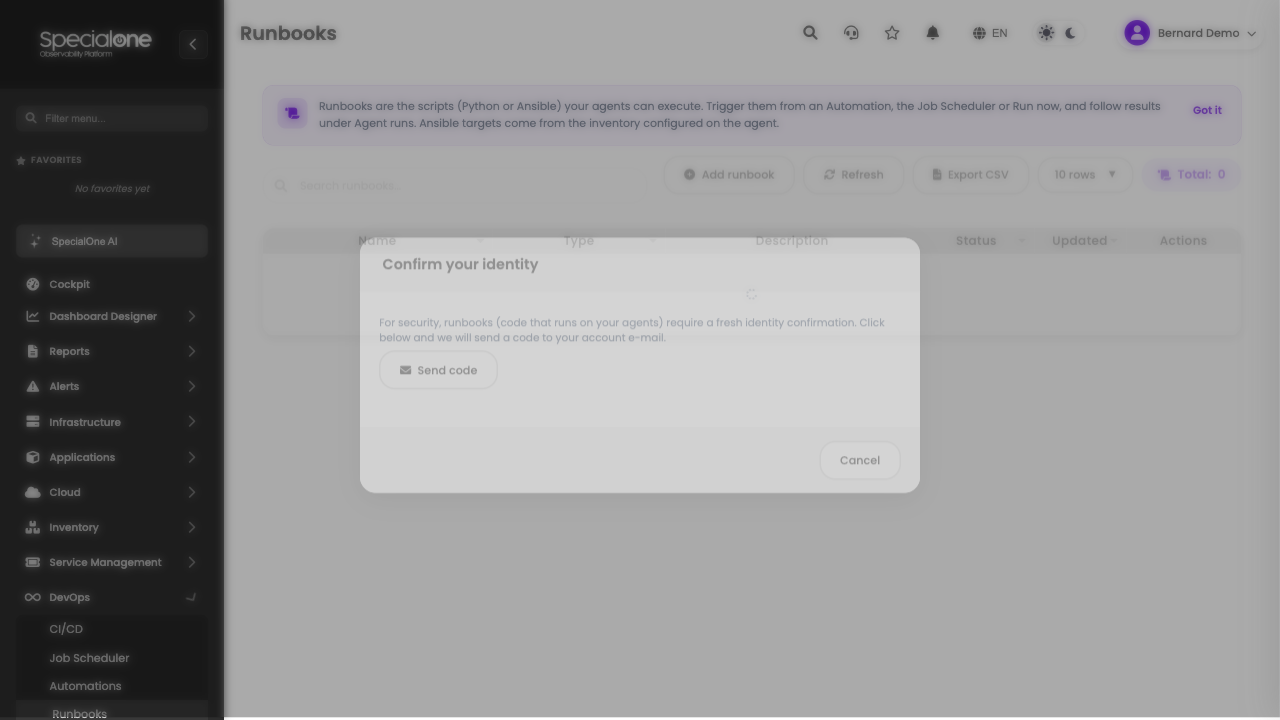
The code is only sent when you request it (the Send code button), and the confirmation is valid for the rest of the session, you do not repeat it on every edit.
The list
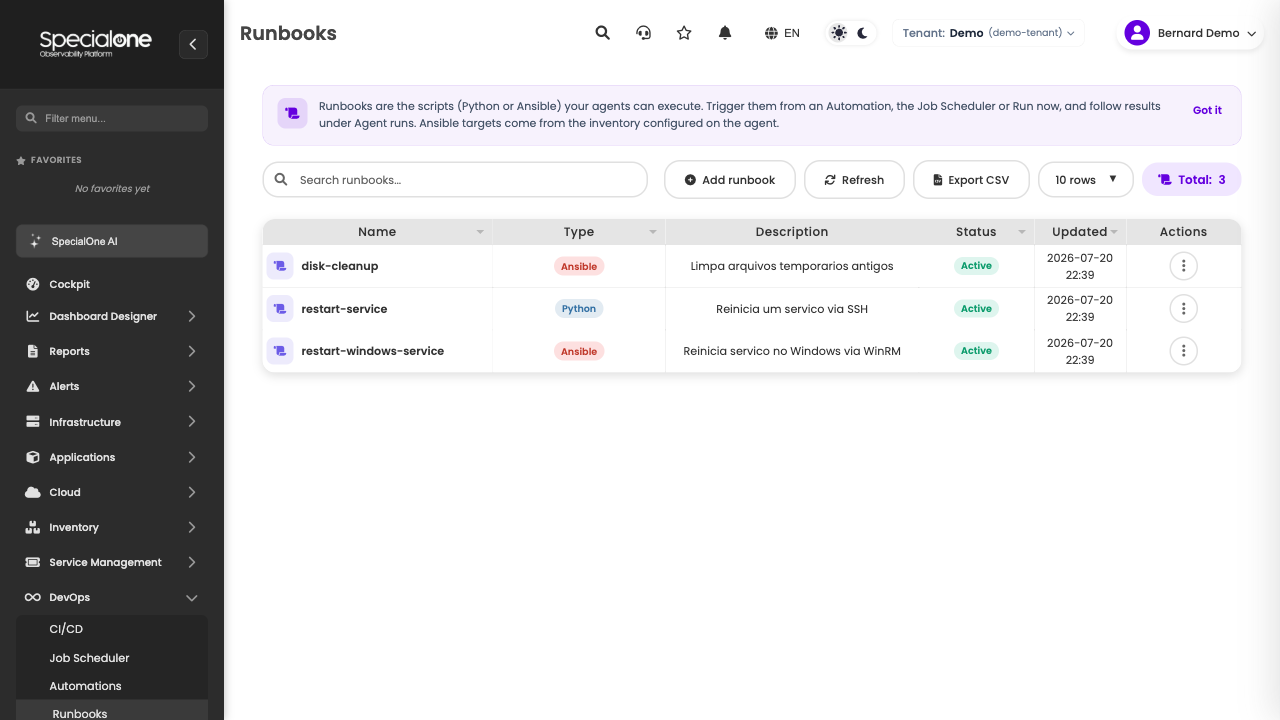
| Column | Content |
|---|---|
| Name | Runbook identifier, the one you select in an automation or schedule. |
| Type | Python or Ansible badge. |
| Description | Optional free text. |
| Status | Active or Inactive. Only active runbooks enter the agents' catalog. |
Create a runbook
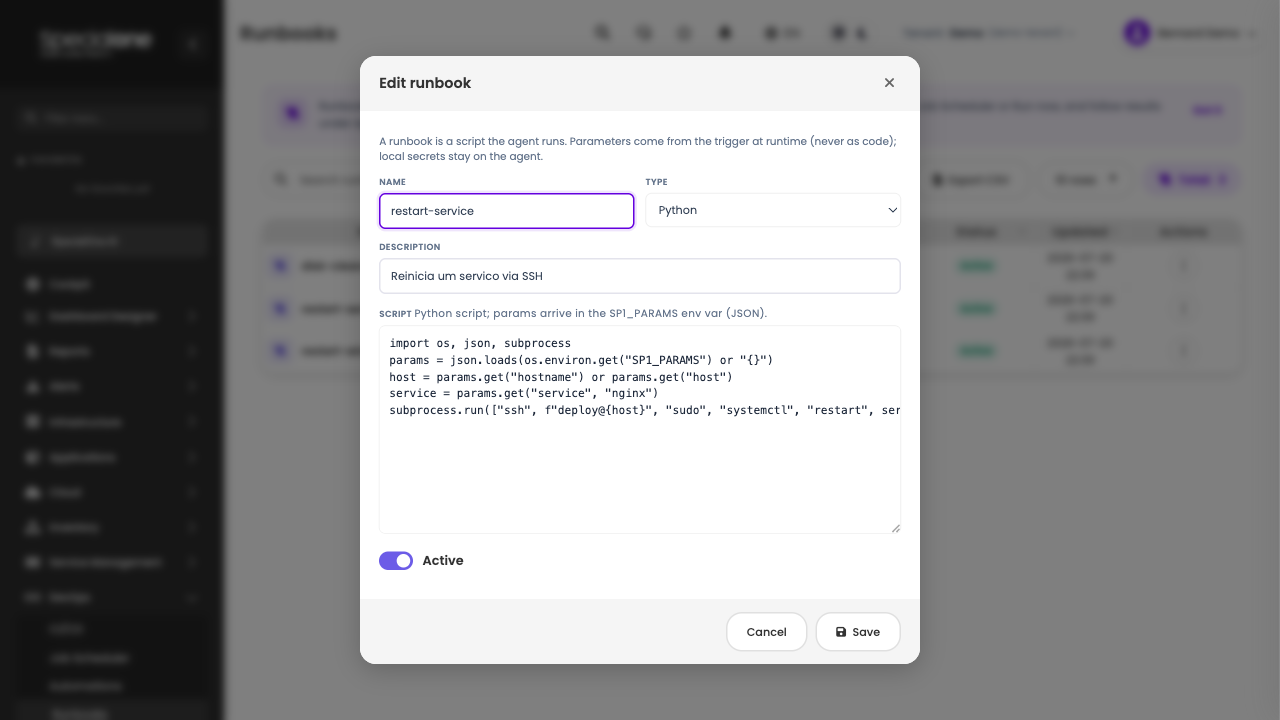
- Click Add runbook.
- Give it a name (same rule as agents: lowercase, numbers, dot, hyphen, underscore).
- Choose the type (Python or Ansible). The platform pre-fills a minimal template of the chosen type.
- Write the script.
- Save.
Examples by type
Python
The script receives parameters in SP1_PARAMS (JSON) and runs inside the agent's container. Good for logic, API calls, data handling.
Example: restart a service over SSH (Linux)
import os
import json
import subprocess

params = json.loads(os.environ.get("SP1_PARAMS") or "{}")
host = params.get("hostname") or params.get("host")
service = params.get("service", "nginx")

# validate the input (never trust raw alert data)
if not host or not host.replace(".", "").replace("-", "").isalnum():
    raise SystemExit(f"invalid host: {host!r}")

cmd = ["ssh", f"deploy@{host}", "sudo", "systemctl", "restart", service]
r = subprocess.run(cmd, capture_output=True, text=True, timeout=60)
print(r.stdout)
print(r.stderr)
raise SystemExit(r.returncode)
Secrets stay on the agent
The SSH key used above lives in the agent's work directory (the docker run -v), not on the platform. The runbook only references it; the credential never leaves your network.
Ansible
The script is a playbook. Parameters arrive as extra-vars, and targets come from the inventory configured on the agent. Good when you already have an inventory and want to act on several hosts idempotently.
Example: restart a service (Linux, via inventory)
---
- hosts: all
  gather_facts: false
  tasks:
    - name: Restart the service
      ansible.builtin.service:
        name: "{{ service | default('nginx') }}"
        state: restarted
      become: true
When running, aim at the host with the limit parameter (becomes --limit). In an alert automation, map limit to hostname and the playbook runs only on the host that fired.
Example: restart a service on Windows (via WinRM)
The agent image already ships the Windows collections. The inventory points to the Windows host over WinRM, and the playbook uses the native module:
---
- hosts: windows
  gather_facts: false
  tasks:
    - name: Restart the Windows service
      ansible.windows.win_service:
        name: "{{ service | default('W3SVC') }}"
        state: restarted
Matching inventory (on the agent, in inventory.ini):
[windows]
win01 ansible_host=10.0.0.21

[windows:vars]
ansible_connection=winrm
ansible_user=Administrator
ansible_winrm_transport=ntlm
ansible_port=5985
Without an inventory, only localhost
An Ansible playbook with hosts: all or hosts: web needs those hosts to exist in the agent's inventory. Without an inventory, only hosts: localhost runs. A playbook that matches no host fails with a warning explaining what was missing, instead of ending in a false "success".
Run right now
To test a runbook without waiting for any trigger, use Run now on the row menu: choose the agent and (optionally) parameters as JSON. The work enters the agent's queue and you follow it in Executions.
Next steps
-
Wire it to a trigger
Make the runbook run on its own when an alert or ticket happens.
-
Schedule it
Run the runbook at fixed times.