Automation agents
The automation agent is what puts your automations to work inside your environment: a lightweight service, packaged as a Docker container, that receives what needs to be done from the platform and runs your runbooks right there, in your network. It makes only outbound connections to the platform (never opens an inbound port), and keeps local secrets (SSH key, database password) with you, never sending them to SpecialOne.
Reach it under Administration → Agents & Identities.
Who uses it
- SRE and infra: install and maintain the agents in the environments that will receive automation.
- Support: create one agent per client/network and manage the lifecycle (rotate credential, revoke).
How it works under the hood
The agent is pull-only: nobody pushes a command to it. It pulls the work.
- Trades the credential (ID + secret) for a short-lived access token.
- Sends a heartbeat (says it is alive) and downloads the runbook catalog when it changes.
- Pulls the executions that belong to it and runs them locally.
- Reports result and log back.
Isolation by token
Each agent only sees what belongs to it. The token is scoped to the tenant, and an agent never claims another agent's execution. A compromised agent cannot see another client's data.
Create an agent
- Click Add agent.
- Give it a name (lowercase letters, numbers, dot, hyphen and underscore; 3 to 64 characters). The name is the agent's identity and does not change later.
- Choose the scope (what the agent can do on the platform API). For simple auto-remediation, the defaults are enough.
- Click Create agent.
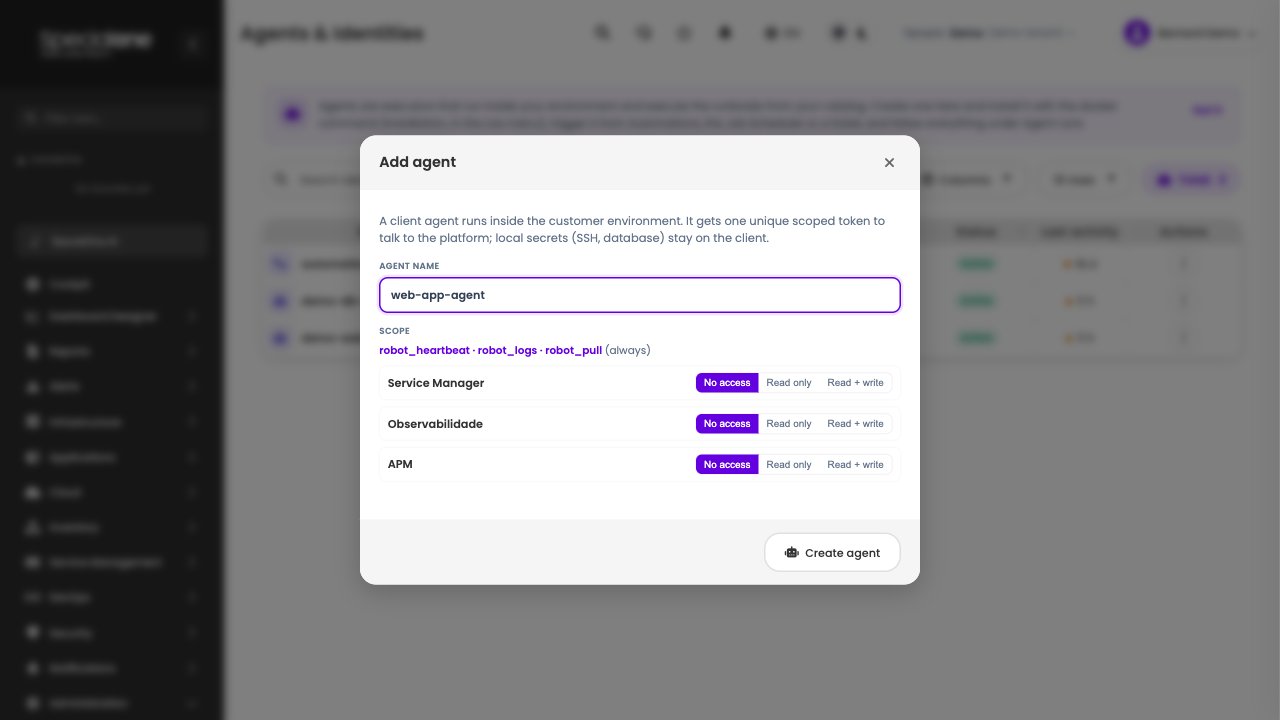
On creation, the platform shows the secret (token) and the ready-to-run install command once. Copy both now.
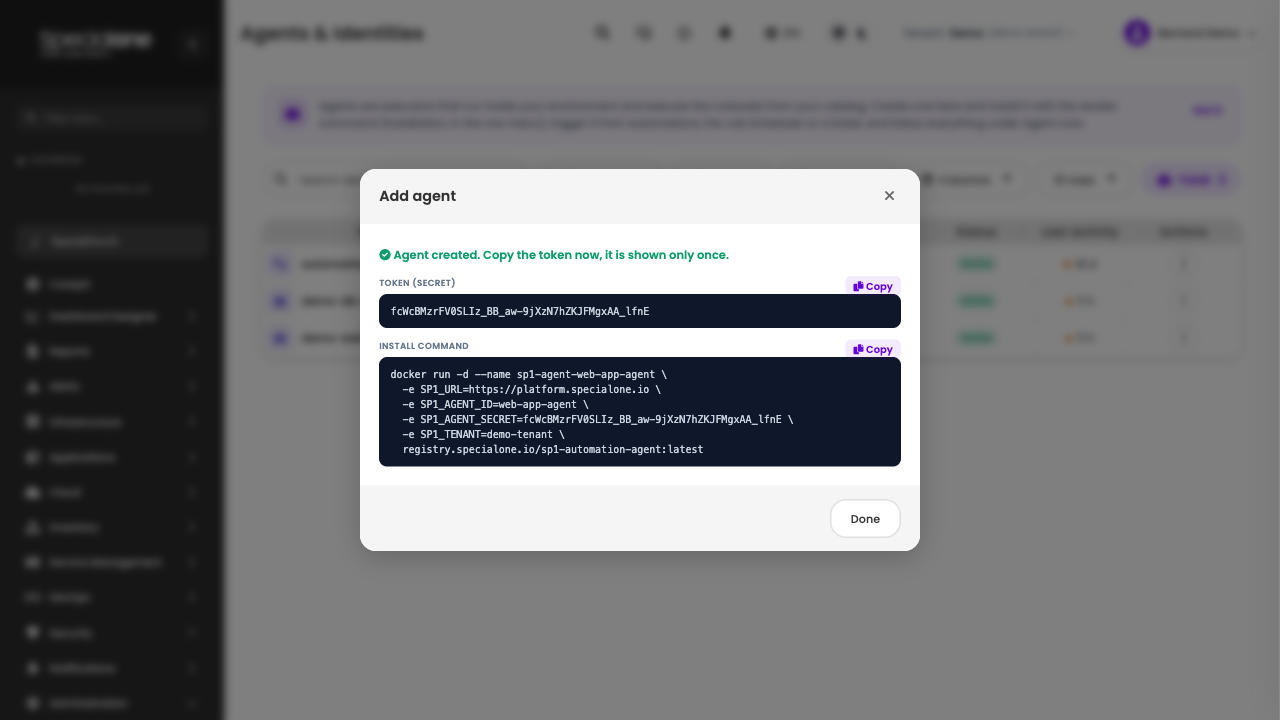
The secret is shown only once
For security, the platform does not store the secret in plain text. If you close this screen without copying, you can still review the install command later (with a placeholder where the secret goes), but to get the full command again you have to generate a new secret (see review the install command).
Install the agent
The command the platform generates is a docker run. Run it on the machine (or VM) that sits inside the environment that will receive automation, with Docker installed.
docker run -d --name sp1-agent \
  -e SP1_URL=https://platform.specialone.io \
  -e SP1_AGENT_ID=<agent-name> \
  -e SP1_AGENT_SECRET=<secret-shown-once> \
  -e SP1_TENANT=<tenant-code> \
  -v /opt/sp1-agent/secrets:/opt/sp1-agent/work \
  registry.specialone.io/sp1-automation-agent:latest
The -v mounts a local host directory inside the agent. That is where the Ansible inventory and SSH keys live, and they never leave for the platform.
With Docker Desktop (PowerShell), the same image runs on Windows. Use quotes and backtick to break lines:
docker run -d --name sp1-agent `
  -e SP1_URL=https://platform.specialone.io `
  -e SP1_AGENT_ID=<agent-name> `
  -e SP1_AGENT_SECRET=<secret-shown-once> `
  -e SP1_TENANT=<tenant-code> `
  -v C:\sp1-agent\secrets:/opt/sp1-agent/work `
  registry.specialone.io/sp1-automation-agent:latest
The image already ships Windows target support via WinRM (see Ansible runbooks).
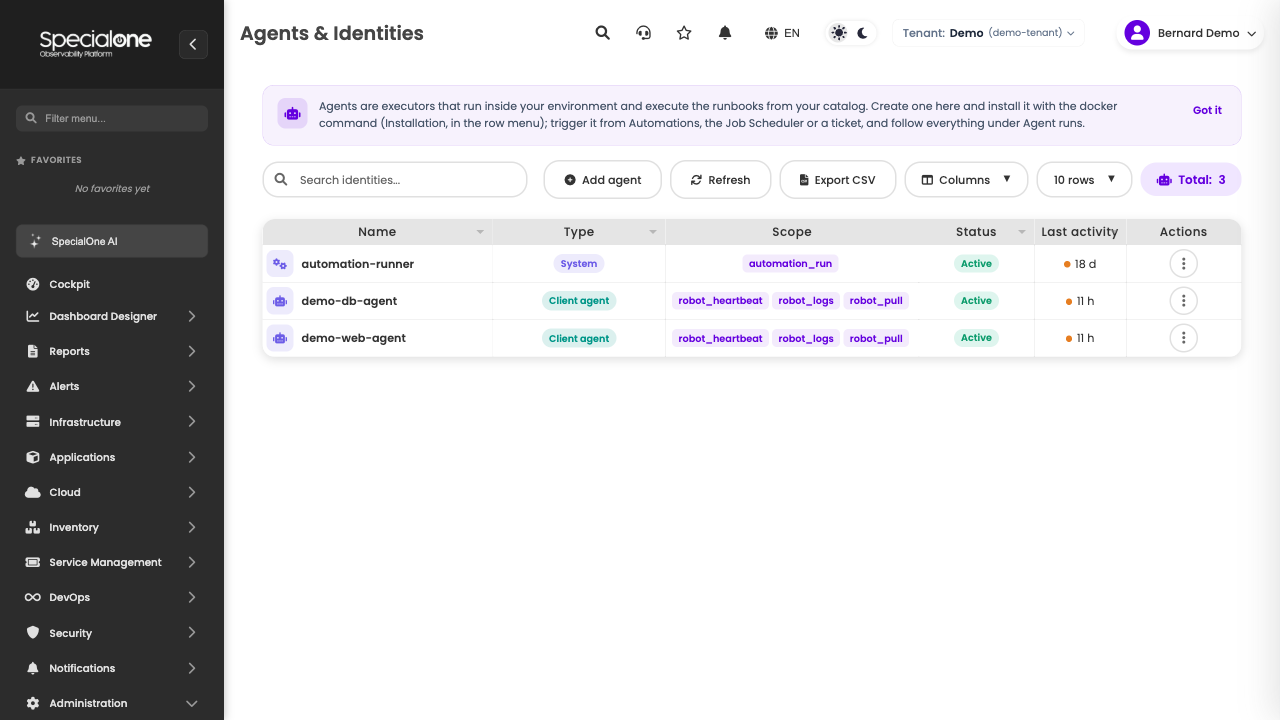
A few seconds later the agent shows up in the list as Active, with the last heartbeat updated.
Container variables
| Variable | Required | What it is for |
|---|---|---|
SP1_URL |
yes | Platform address (https). |
SP1_AGENT_ID |
yes | Agent name (the one you set on creation). |
SP1_AGENT_SECRET |
yes | Secret shown once. In production, prefer mounting it as a Docker secret (SP1_AGENT_SECRET_FILE). |
SP1_TENANT |
yes | Tenant code. |
SP1_ANSIBLE_INVENTORY |
no | Path to the Ansible inventory. Without it, the agent looks for inventory.ini in the work directory. |
SP1_MAX_CONCURRENT |
no | How many concurrent executions (default 3). |
Review the install command
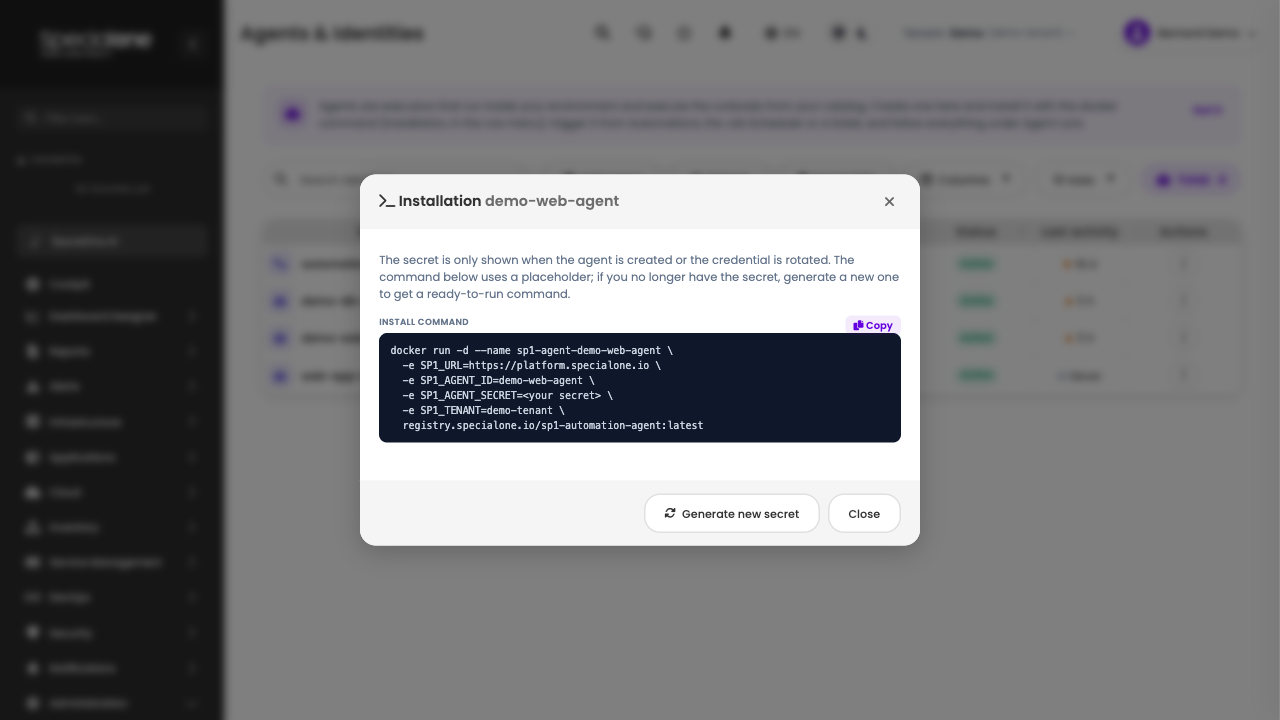
If you closed the creation screen without copying, open the actions menu (three-dot icon) on the agent row and choose Installation.
The window shows the docker run command with a placeholder (<your secret>) where the token goes. Since the platform does not store the secret, you have two options:
- You still have the secret: paste it in place of the placeholder and use the command.
- You lost the secret: click Generate new secret. The platform rotates the credential (the old one stops working) and builds the full command, ready to copy.
Ansible inventory (remote targets)
Ansible runbooks run against the hosts defined in an inventory. The inventory is yours and lives on the agent (the platform never receives it): you mount the file in the container's work directory.
Example inventory.ini (on the host, at /opt/sp1-agent/secrets/inventory.ini, which becomes /opt/sp1-agent/work/inventory.ini inside the container):
[web]
web01 ansible_host=10.0.0.11
web02 ansible_host=10.0.0.12

[web:vars]
ansible_user=deploy
ansible_ssh_private_key_file=/opt/sp1-agent/work/id_ed25519
How the target is chosen at run time:
- The playbook's
hosts:selects the group inside the inventory (e.g.hosts: web). - The reserved parameter
limitrestricts the run to a single host (--limit). In a monitoring automation, maplimitto the alert'shostnamefield and the runbook runs only on the host that fired. - Without an inventory, only
hosts: localhostworks (runs inside the container itself). A playbook that matches no host fails with a warning, instead of ending "success" without doing anything.
Details and playbook examples in Runbooks → Ansible.
Agent lifecycle
Each agent's actions menu offers:
| Action | What it does |
|---|---|
| Triggers | Shows everything that dispatches work to that agent (alert automations, ticket automations and schedules). Read only. |
| Installation | Review the docker run command and, if needed, generate a new secret. |
| Edit permissions | Change the agent's API scope without changing the secret. |
| Rotate | Generate a new secret. The old one stops working immediately, update the container. |
| Revoke | Disable the agent: the token stops being valid right away. History is kept. |
| Delete | Only for a revoked agent. Removes the agent and its operational trail (executions, logs, schedules). Useful to clean up tests. |
Revoke and delete are not the same
Revoke disables but keeps the history, that is what you use when decommissioning a real agent. Delete is permanent cleanup and only works after revoking. When you delete, the evidence (what the agent executed) is preserved in the audit trail even after the agent disappears from the screen; the delete action is also recorded in Audit Trail.
Next steps
-
Write the runbooks
The scripts this agent will run, in Python or Ansible.
-
Build the automation
Link the agent to a trigger and follow the executions.